

 Here’s how it works:
Step 1) Install WeTransfer for free from the Google Play Store
Step 2) Open the app
Step 3) Browse through files, photos, and videos on your device to identify which files you want to send. You can also share files from other apps.
Step 4) Once you’ve selected your file (or files), simply type in your friend’s (or friends’) email addresses along with a customized message
Step 5) After you click ‘Send’, your friends will receive an email with a link to the downloadable file
That’s it! There are other ways to send files over 10GB in size (like with Google Drive or Dropbox), but WeTransfer makes it ridiculously easy. And, you don’t have to pay anything at any point along the way.
Here’s how it works:
Step 1) Install WeTransfer for free from the Google Play Store
Step 2) Open the app
Step 3) Browse through files, photos, and videos on your device to identify which files you want to send. You can also share files from other apps.
Step 4) Once you’ve selected your file (or files), simply type in your friend’s (or friends’) email addresses along with a customized message
Step 5) After you click ‘Send’, your friends will receive an email with a link to the downloadable file
That’s it! There are other ways to send files over 10GB in size (like with Google Drive or Dropbox), but WeTransfer makes it ridiculously easy. And, you don’t have to pay anything at any point along the way.
WeTransfer Now Lets Android Users Instantly Send Files as Large as 10GB
2 min read
Last year, an app called WeTransfer launched on iOS devices.
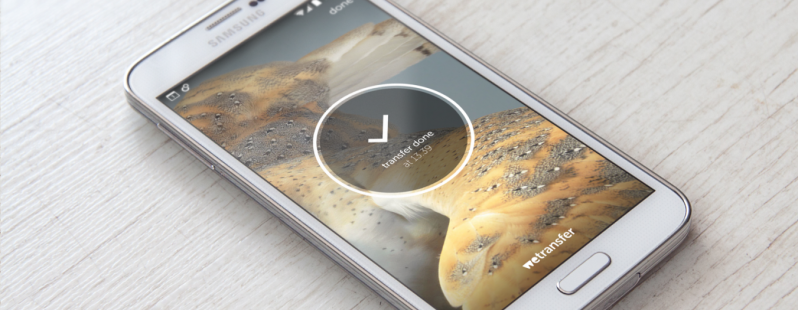
WeTransfer made it easy to swap large files. After installing WeTransfer, anyone could send a file as large as 10GB with a single flick of the finger.
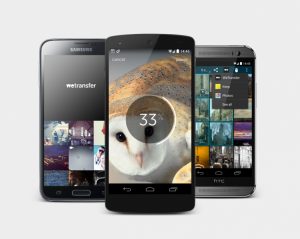
It took a few months for WeTransfer to arrive on Android, but it’s finally here. That’s right: you can now install WeTransfer for Android and enjoy the ability to send/receive files as large as 10GB.
Here’s how it works:
Step 1) Install WeTransfer for free from the Google Play Store
Step 2) Open the app
Step 3) Browse through files, photos, and videos on your device to identify which files you want to send. You can also share files from other apps.
Step 4) Once you’ve selected your file (or files), simply type in your friend’s (or friends’) email addresses along with a customized message
Step 5) After you click ‘Send’, your friends will receive an email with a link to the downloadable file
That’s it! There are other ways to send files over 10GB in size (like with Google Drive or Dropbox), but WeTransfer makes it ridiculously easy. And, you don’t have to pay anything at any point along the way.
Here’s how it works:
Step 1) Install WeTransfer for free from the Google Play Store
Step 2) Open the app
Step 3) Browse through files, photos, and videos on your device to identify which files you want to send. You can also share files from other apps.
Step 4) Once you’ve selected your file (or files), simply type in your friend’s (or friends’) email addresses along with a customized message
Step 5) After you click ‘Send’, your friends will receive an email with a link to the downloadable file
That’s it! There are other ways to send files over 10GB in size (like with Google Drive or Dropbox), but WeTransfer makes it ridiculously easy. And, you don’t have to pay anything at any point along the way.
Newsletter
Get the latest tech news delivered to your inbox weekly.