

How to Add Booming Bass to Android
2 min read
Even the world’s best smartphones have poor external speakers. They sound tinny and flat and they lack any type of bass.
Fortunately, there is a way to add strong bass notes to your Android phone or tablet. It won’t turn your phone into a 12 inch subwoofer, but it will help you squeeze every ounce of bass-note-producing capabilities from your device.
This tip works particularly well if you have headphones attached, although it can also improve the bass of your built-in external speakers.
Step 1) Download a free app called Music Volume EQ
Step 2) Start playing a song that should have good bass
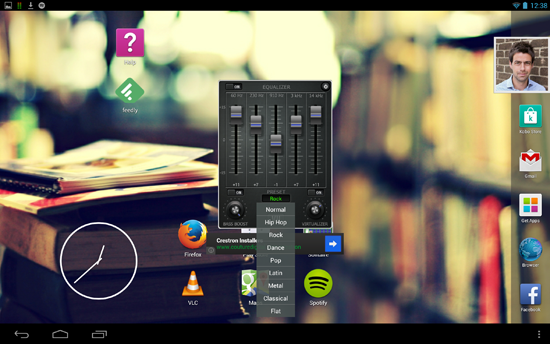
Step 3) While the song is playing, open the Music Volume EQ app. The app will appear on your screen like a floating widget.
Step 4) You’ll see a volume control slider as well as an audio visualizer. At the bottom of the app you’ll see the EQ button. Tap that.
Step 5) There are about a dozen different equalizer settings. You should choose the equalizer setting that corresponds to the music you’re playing – or the genre of music you like to listen to. If you want heavy bass sounds, then I find the “Hip Hop” equalizer works particularly well.
Obviously, this tip works best if you have headphones plugged into your Android. However, it can often add a noticeable boost to your external speaker as well.
Newsletter
Get the latest tech news delivered to your inbox weekly.