

Text Friends from your PC Using an Android App Called MySMS
3 min read
If you’re like me, you spend a lot of time every day sitting at your computer. Sometimes, I work at my PC. Other times, I’m doing absolutely nothing but browsing the internet. But when I’m on my computer, I don’t like to look away from the screen to pick up my little phone and respond to a text.
That’s why a new app called MySMS is easy to fall in love with. Designed for Android, Windows Phone 8, and iOS, MySMS makes texting from your computer as easy as possible.
Before you get mad: I know MySMS isn’t the first service that lets you send texts from your computer. But here’s what I do like about it – there are no browsers required. In fact, I think MySMS is the only remote SMS app that doesn’t require users to access their browsers in any way. You can simply sit down at your computer, bring up the MySMS desktop client, and you’re ready to go.
Here’s how it works:
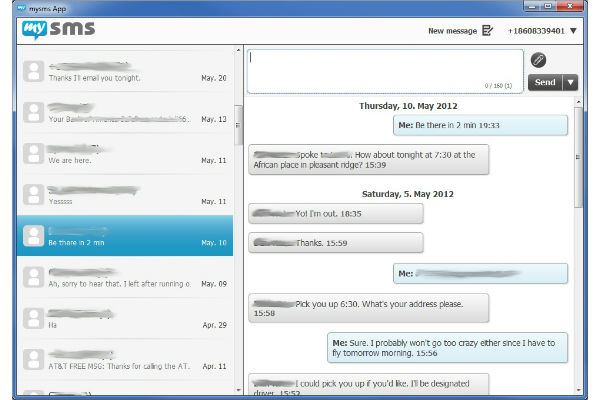
-Download and install MySMS on your Android and on your PC -After installing MySMS on your phone, the app will send you a text message with a PIN. Enter that PIN into the computer version of MySMS (there are several different options available, including options for Mac, Windows, and whatever browser you’re currently using). You can also use MySMS on your tablet to send texts on your phone. -No matter which version of the app you’re using, the interface is almost always identical. It’s friendly, easy-to-use, and self-explanatory. It looks like an email inbox, and you can easily choose conversations to open and read. Simply click the ‘New message’ button to fire off a text to one of your contacts.
Newsletter
Get the latest tech news delivered to your inbox weekly.