

Official Twitter for Android app
We can’t just skip over the official Twitter for Android app, which is the only Android Twitter app made by Twitter itself. It’s designed to replicate the look and feel of Twitter.com, and its simple interface allows users to quickly check their homepage and @mentions as well as trending news stories. 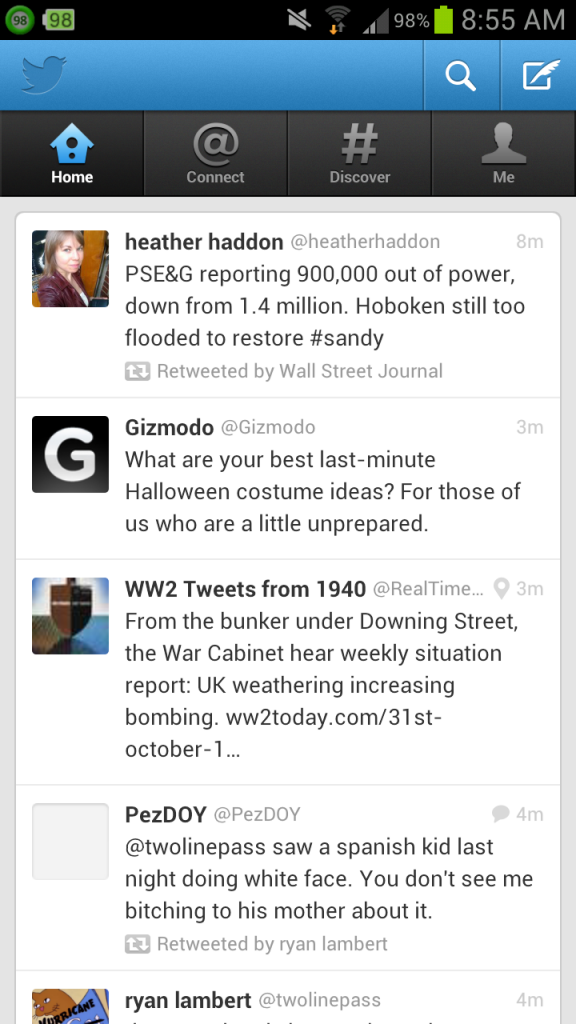
HootSuite
HootSuite is one of the most feature-rich alternative Twitter apps available to Android users today. With HootSuite, users can perform a variety of functions that aren’t available over the traditional Twitter app. Users can schedule tweets, for example,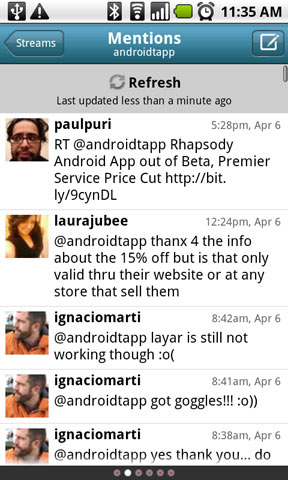 HootSuite also makes switching between multiple accounts easy. So, while the official Twitter for Android app allows users to switch between accounts with a little searching, HootSuite makes this experience much more seamless.
Oh, and if you want to use other social networks without actually switching accounts, HootSuite makes that as easy as possible. Users can login to Facebook, LinkedIn, and Foursquare in order to see updates from all their other social networks. This also allows users to post updates to all of their social networks at once, which means making dual Facebook and Twitter updates is now easier than ever.
HootSuite also makes switching between multiple accounts easy. So, while the official Twitter for Android app allows users to switch between accounts with a little searching, HootSuite makes this experience much more seamless.
Oh, and if you want to use other social networks without actually switching accounts, HootSuite makes that as easy as possible. Users can login to Facebook, LinkedIn, and Foursquare in order to see updates from all their other social networks. This also allows users to post updates to all of their social networks at once, which means making dual Facebook and Twitter updates is now easier than ever.
UberSocial
UberSocial is another common name when it comes to alternative Twitter for Android apps. UberSocial has similar features to HootSuite, although there are a few advantages. Along with have multiple account access and a direct link to Facebook, UberSocial lets users set up a favorite user list. So, if you want to block out all of the spam coming from @KimKardashian and just look at what your real friends are saying, you can do that with UberSocial.TweetCaster for Android
If you liked the favorite contacts list feature in HootSuite, then you’ll appreciate TweetCaster even more. TweetCaster has a full-blown feature called SmartLists that allow users to view, manipulate, and filter out certain tweets. So, you can view your entire news list to see what’s going on in the world. Or you can view tweets from those in certain industries, or just see what your friends are saying.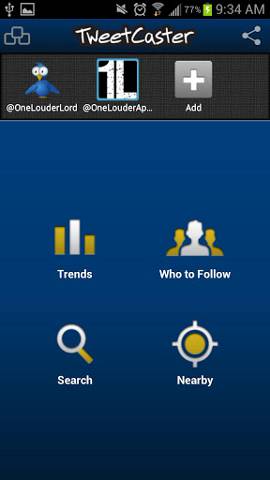 TweetCaster also has a useful Party Search feature that makes it easy to search through somebody’s timeline. So, if you know somebody tweeted at you several months ago but can’t remember what they said, then TweetCaster allows you to easily search through tweets on either your page or somebody else’s.
TweetCaster also has one of the easiest multiple account interfaces available today. The top of the TweetCaster screen features instant links to each one of your accounts. So, if you’re running a business account alongside a personal account, switching between the two has never been easier.
TweetCaster also has a useful Party Search feature that makes it easy to search through somebody’s timeline. So, if you know somebody tweeted at you several months ago but can’t remember what they said, then TweetCaster allows you to easily search through tweets on either your page or somebody else’s.
TweetCaster also has one of the easiest multiple account interfaces available today. The top of the TweetCaster screen features instant links to each one of your accounts. So, if you’re running a business account alongside a personal account, switching between the two has never been easier.
TweetDeck
TweetDeck is the most popular Twitter application for desktop computers, and TweetDeck is the mobile version of that app. With TweetDeck, users can easily search multiple keywords or access past searches. So, instead of constantly searching for your name on Facebook, you can see what people are saying about you. Or, if you’re representing a certain company, you can search for that company’s name on Facebook to address any complaints or compliments.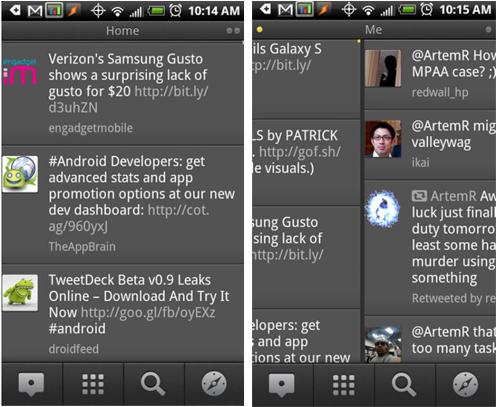 TweetDeck for Android – just like the desktop application – is split up into multiple columns. Switching between columns is as easy as swiping across the screen. Users can also add their Facebook and Foursquare accounts to the app and schedule tweets.
Oh, and if you already use TweetDeck for your desktop computer, you’ll be happy to note that all of your columns with synch with TweetDeck for Android.
TweetDeck for Android – just like the desktop application – is split up into multiple columns. Switching between columns is as easy as swiping across the screen. Users can also add their Facebook and Foursquare accounts to the app and schedule tweets.
Oh, and if you already use TweetDeck for your desktop computer, you’ll be happy to note that all of your columns with synch with TweetDeck for Android.