

How to Install Google’s Pixel Launcher on your Android Today
2 min read
Google’s new Pixel launcher is undeniably attractive. Until recently, that launcher was only available on Pixel devices.
Fortunately for you, times have changed, and you can now install the Pixel launcher on any Android. Today, we’re explaining how to do that and change up the feel – and usability – of your Android device.
Pixel Launcher is a free app available to download from the Google Play Store. You can download it for free today here.
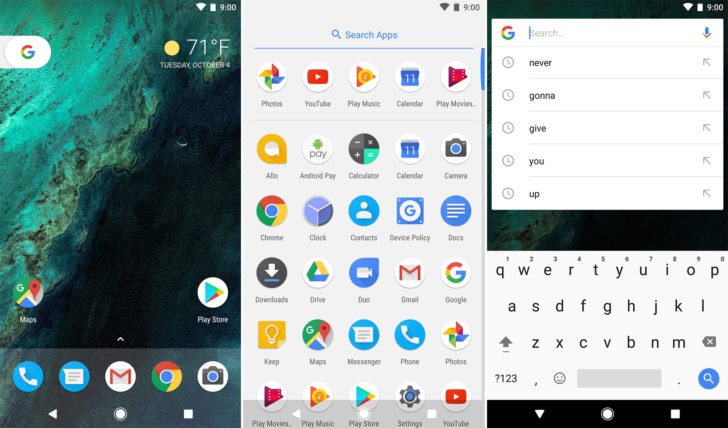
After installing that app, you get the same home screen experience you get on the Pixel and Pixel XL phones. Key features of that launcher include information from Google just a swipe away, like the ability to view Google Now cards just by swiping from the primary home screen.
Another cool feature of the launcher is the ability to swipe up on the bottom of your screen to find your app drawer (a list of your apps from A to Z).
You can also long-press on certain apps to launch a shortcuts menu. If you long-press on Chrome, for example, then you can open a new tab directly from the menu. Most Google apps support this feature, and a growing number of non-Google apps support this feature as well.
Newsletter
Get the latest tech news delivered to your inbox weekly.