

 To use Limelight for Rooted Devices, you require the following:
- Game controller or
- Mouse and keyboard
There are also a few PC requirements:
- NVIDIA GeForce GTX 600/700/800/900 series desktop or mobile GPU (GT-series GPUs won't work)
- NVIDIA GeForce Experience (GFE) 2.2.2 or higher
A few tips for smooth usage of this app are:
1. Make sure GeForce Experience is installed, updated, and that you've scanned for games.
2. In most cases, your PC will show up automatically in the PC list. Click the entry in the PC list to start pairing.
3. On your PC, enter the PIN displayed on the Android device and accept the pairing dialog.
4. Choose your PC in the PC list and the app list will be displayed where you can select a game to stream.
Also, there is a bluetooth related streaming issue: Depending on your phone/tablet, you may have a bad streaming experience if Bluetooth is active while streaming. This is a hardware issue due to the antenna wiring. If you experience this, you can try a USB Ethernet adapter or a controller that connects directly to your Android device via USB OTG.
Limelight for Rooted Devices is going to give you an incredible smart phone gaming experience because it will take away all cursor related hassles so that you have a smoother time while playing video games. Everything in life should be convenient, even our recreation time!
To use Limelight for Rooted Devices, you require the following:
- Game controller or
- Mouse and keyboard
There are also a few PC requirements:
- NVIDIA GeForce GTX 600/700/800/900 series desktop or mobile GPU (GT-series GPUs won't work)
- NVIDIA GeForce Experience (GFE) 2.2.2 or higher
A few tips for smooth usage of this app are:
1. Make sure GeForce Experience is installed, updated, and that you've scanned for games.
2. In most cases, your PC will show up automatically in the PC list. Click the entry in the PC list to start pairing.
3. On your PC, enter the PIN displayed on the Android device and accept the pairing dialog.
4. Choose your PC in the PC list and the app list will be displayed where you can select a game to stream.
Also, there is a bluetooth related streaming issue: Depending on your phone/tablet, you may have a bad streaming experience if Bluetooth is active while streaming. This is a hardware issue due to the antenna wiring. If you experience this, you can try a USB Ethernet adapter or a controller that connects directly to your Android device via USB OTG.
Limelight for Rooted Devices is going to give you an incredible smart phone gaming experience because it will take away all cursor related hassles so that you have a smoother time while playing video games. Everything in life should be convenient, even our recreation time!

Limelight - A Hidden Gem of an App for Root Users
3 min read
If you are one of those rare people who spends more time on their laptops than their phones, hats off to you! Also, you might have become more used to your cursors and might be left feeling incomplete whenever you use your phones. For those of you , Limelight for Rooted Devices is surely a boon. As the name goes, this app is specifically designed for rooted Android devices.
This app enables full mouse capturing, which is not possible without root access. This means no Android mouse cursor or being limited to the bounds of the screen.
In case you do not have a rooted device, there is a Limelight non-rooted device version available as well. But getting back to the rooted version, press Ctrl+Shift+Z to toggle grabbing input devices. Touchpads on game controllers are currently not captured.
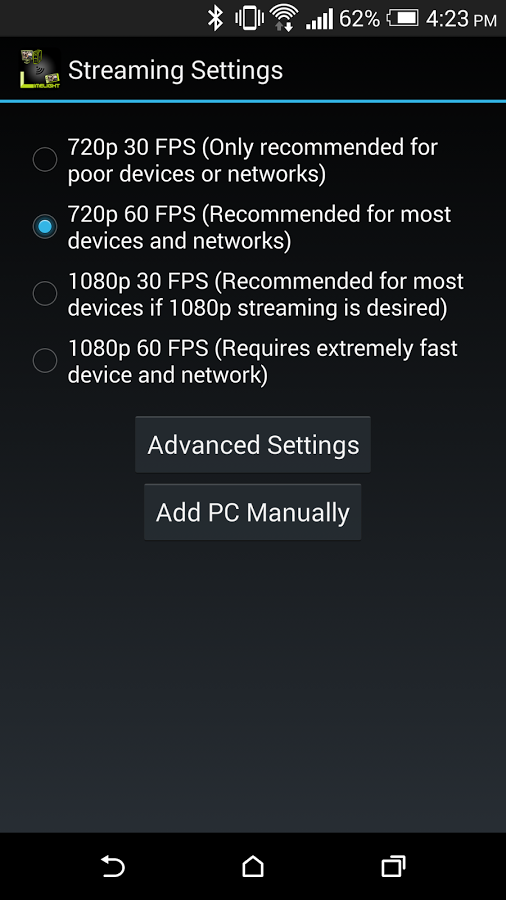
This app streams games from a GameStream-compatible PC on your local network or the Internet (Streaming over LTE is supported, although data usage is high and you may have latency issues). After initial pairing, Limelight will show a list of apps to stream from your PC. You can add any other apps to this list through GeForce Experience. Mouse, keyboard, and controller input is sent from your Android device to the PC.
To have a good experience, you need a mid to high-end wireless router with a good wireless connection to your Android device (5 GHz highly recommended) and a good connection from your PC to your router (Ethernet highly recommended). If you're streaming over the Internet, make sure UPnP is enabled on your router or the required ports are forwarded.
To use Limelight for Rooted Devices, you require the following:
- Game controller or
- Mouse and keyboard
There are also a few PC requirements:
- NVIDIA GeForce GTX 600/700/800/900 series desktop or mobile GPU (GT-series GPUs won't work)
- NVIDIA GeForce Experience (GFE) 2.2.2 or higher
A few tips for smooth usage of this app are:
1. Make sure GeForce Experience is installed, updated, and that you've scanned for games.
2. In most cases, your PC will show up automatically in the PC list. Click the entry in the PC list to start pairing.
3. On your PC, enter the PIN displayed on the Android device and accept the pairing dialog.
4. Choose your PC in the PC list and the app list will be displayed where you can select a game to stream.
Also, there is a bluetooth related streaming issue: Depending on your phone/tablet, you may have a bad streaming experience if Bluetooth is active while streaming. This is a hardware issue due to the antenna wiring. If you experience this, you can try a USB Ethernet adapter or a controller that connects directly to your Android device via USB OTG.
Limelight for Rooted Devices is going to give you an incredible smart phone gaming experience because it will take away all cursor related hassles so that you have a smoother time while playing video games. Everything in life should be convenient, even our recreation time!
To use Limelight for Rooted Devices, you require the following:
- Game controller or
- Mouse and keyboard
There are also a few PC requirements:
- NVIDIA GeForce GTX 600/700/800/900 series desktop or mobile GPU (GT-series GPUs won't work)
- NVIDIA GeForce Experience (GFE) 2.2.2 or higher
A few tips for smooth usage of this app are:
1. Make sure GeForce Experience is installed, updated, and that you've scanned for games.
2. In most cases, your PC will show up automatically in the PC list. Click the entry in the PC list to start pairing.
3. On your PC, enter the PIN displayed on the Android device and accept the pairing dialog.
4. Choose your PC in the PC list and the app list will be displayed where you can select a game to stream.
Also, there is a bluetooth related streaming issue: Depending on your phone/tablet, you may have a bad streaming experience if Bluetooth is active while streaming. This is a hardware issue due to the antenna wiring. If you experience this, you can try a USB Ethernet adapter or a controller that connects directly to your Android device via USB OTG.
Limelight for Rooted Devices is going to give you an incredible smart phone gaming experience because it will take away all cursor related hassles so that you have a smoother time while playing video games. Everything in life should be convenient, even our recreation time!
Newsletter
Get the latest tech news delivered to your inbox weekly.