

How to Connect your Xbox 360 Controller to Android to Play Unsupported Games
3 min read
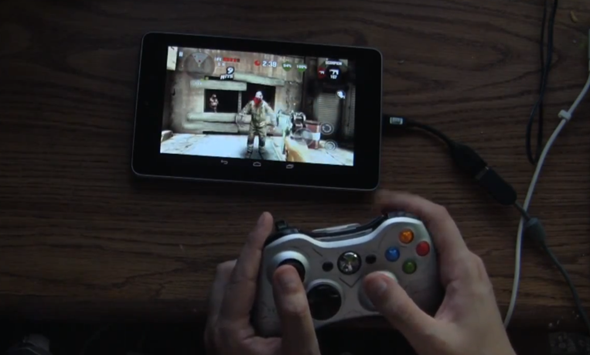
Any Android handset running Android 4.0+ can handle an Xbox 360 controller. Users can connect the Xbox 360 controller to their device using an OTG cable and control many of their favorite games using the world’s most popular controller.
But unfortunately, not all Android games support the Xbox 360 controller (or any third party controllers). These games want you to use the clunky touch screen controls that are bundled with Android games by default. That means no PlayStation controller and no Xbox controller for you.
Well, that’s not true anymore. Thanks to an app called USB/BT Joystick Center on Google Play, you can control unsupported Android games using your USB or Bluetooth controller. Although the app itself doesn’t require root access, you will need root access in order to map gamepad controls for games that don’t natively support gamepads.
Newsletter
Get the latest tech news delivered to your inbox weekly.